Figured Lurker for iOS should get its own devlog topic, so here it is!
The Lurker iOS app got approved for TestFlight yesterday, so it can be snagged here:
There’s also a contributor working separately on an Android app while I am working on the iOS one.
A new build of Lurker iOS just went out to TestFlight
- Added bottom scroll fade under the composer
- iMessage-style interactive keyboard dismissal (keyboard layout guide + dismiss padding)
- Fixed scroll-position jumps on live appends while reading history
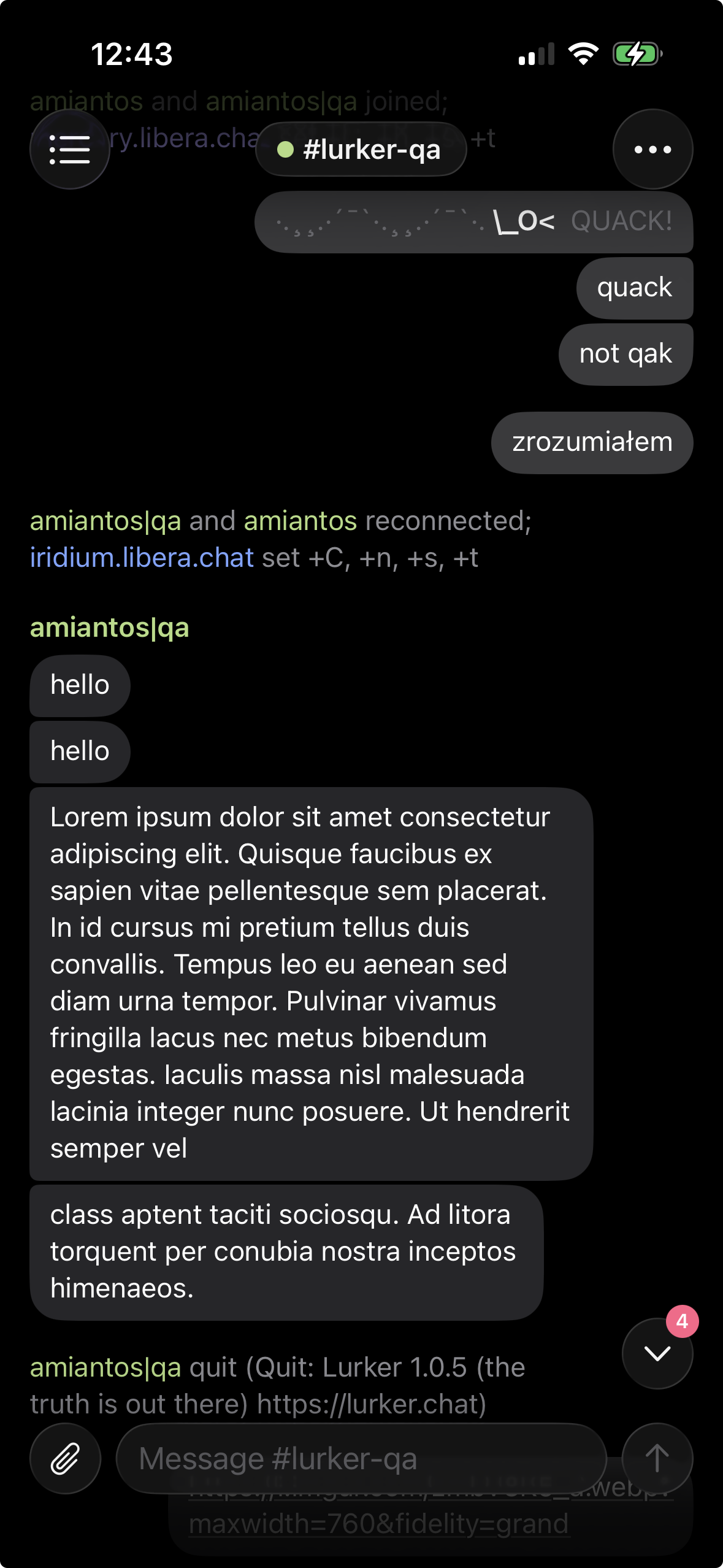
- New jump-to-latest pill with new-message badge
- Message links body-colored with soft underline (was accent pink)
- System buffer got a composer (It does nothing so far)
- Composer placeholder shows the network name
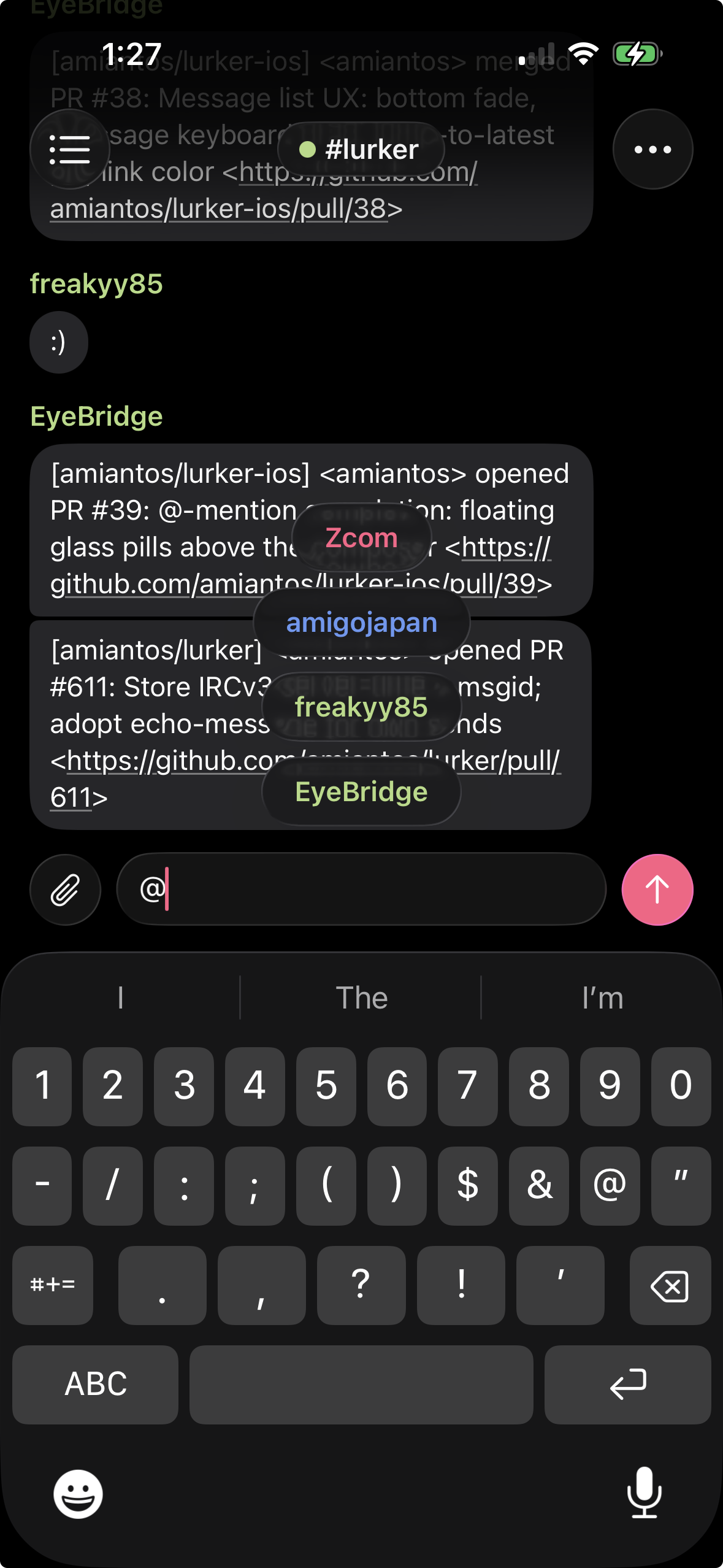
- @-mention completion: glass pill suggestions above the composer
Image of the jump to bottom button with count of new messages
Example image of the @ nick complete suggestions
New iOS TestFlight build just went out.
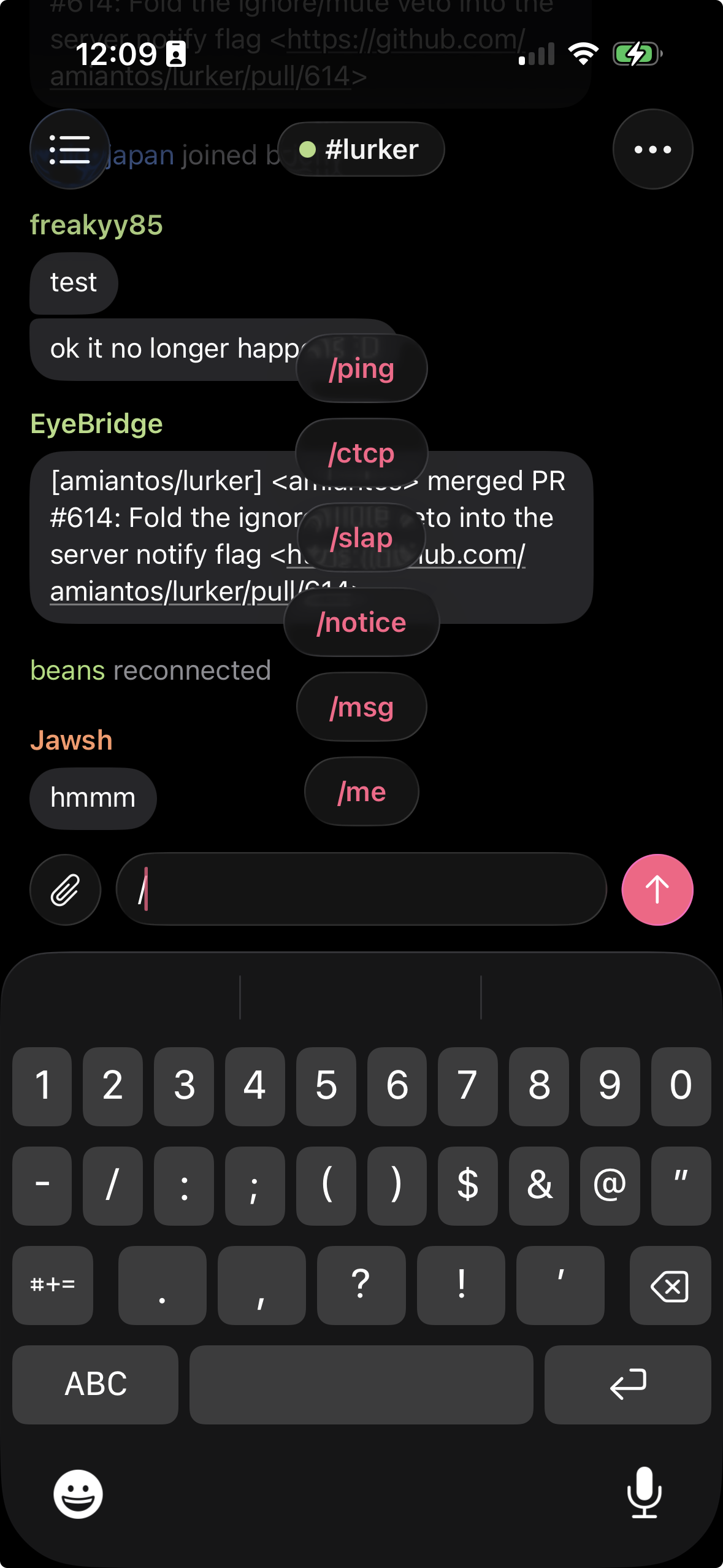
- slash commands are now supported, type / and you get suggestion pills similar to @ nick suggestions
- new loading / empty / offline states throughout the app, a spot of polish
- highlights render a warmer bubble in the message list, and there is now a highlights modal accessible via the overflow menu. tapping a highlight in the modal should consistently and reliably jump to the tapped message.
- the attachment button next to the input is now wired up, you can upload photos and videos if your upload host supports it. the app will automatically compress videos down to below 100mb by default to be maximally IRC friendly for people around the world.
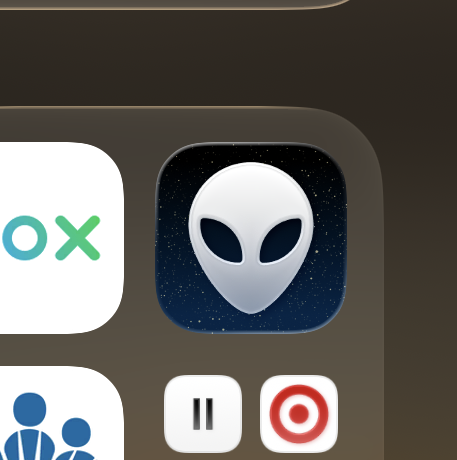
- different icon
slash command completion pills
new icon
video of the highlight modal and jumping to messages
Lurker for iOS 1.0 “build 5” just went out to testflight.
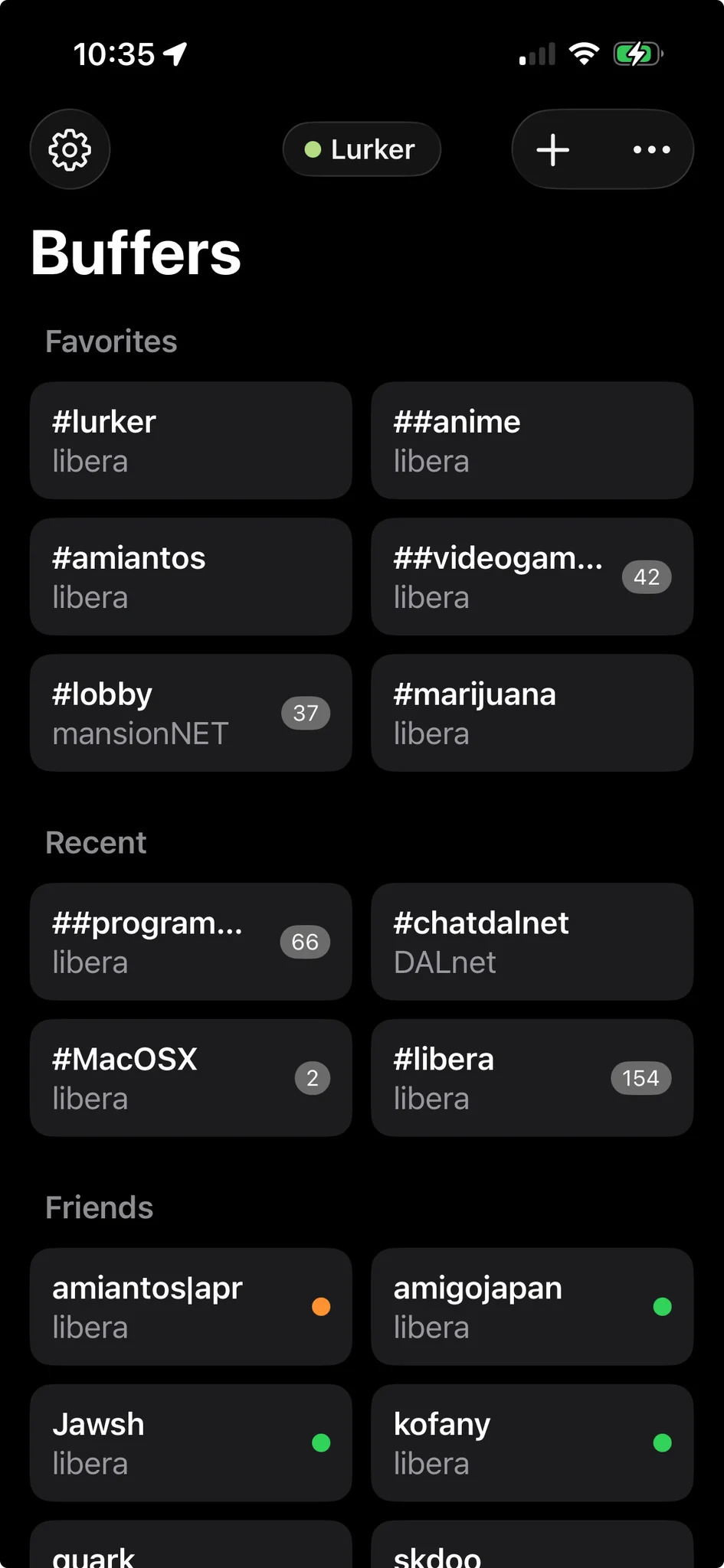
- Reorganized the view layout so now the buffer list is the main view, and some buttons have been moved around.
- When opening a channel with unread messages, there is now a “jump up” button in the bottom left to jump up to the unread marker.
- The buffer list recent channels area gets a new look with more button density.
- You can now long press on channels in the buffer list and “Favorite” them, favorited channels appear in a special section at the top of the buffer list. (Note: this feature ‘favorite channels’ is currently mobile only.)
- Added full Friends list support.
New buffer list screenshot
Hell yeah, just pushed out another build to TestFlight, build 6! 6 6! the number of the beeeeasssssttttt… okay you can tell I’ve been coding all day…
- The status / buffer title pill now stays in one place between view changes. Cool!
- Added full support for typing indicators.
- Added a Settings screen which allows toggling settings relevant to the mobile client.
- The message list has been brought up to display feature parity with the web client, meaning there are date dividers and other stuff that was missing before now.
- The buffer list now has proper loading and empty states.
- You can now long press on messages in the message list, and on links in messages, and get various actions in a sheet, similar to Discord.
- Added a new ‘compact’ message list view that mirrors that mobile web app. It has been forced on by default, and for now you can switch back to bubble mode via the buffer settings modal (tap on the center status pill), but probably not for long…
This is out on testflight now!
Here’s a screenshot of the new message mode. Actually, TWO screenshots.
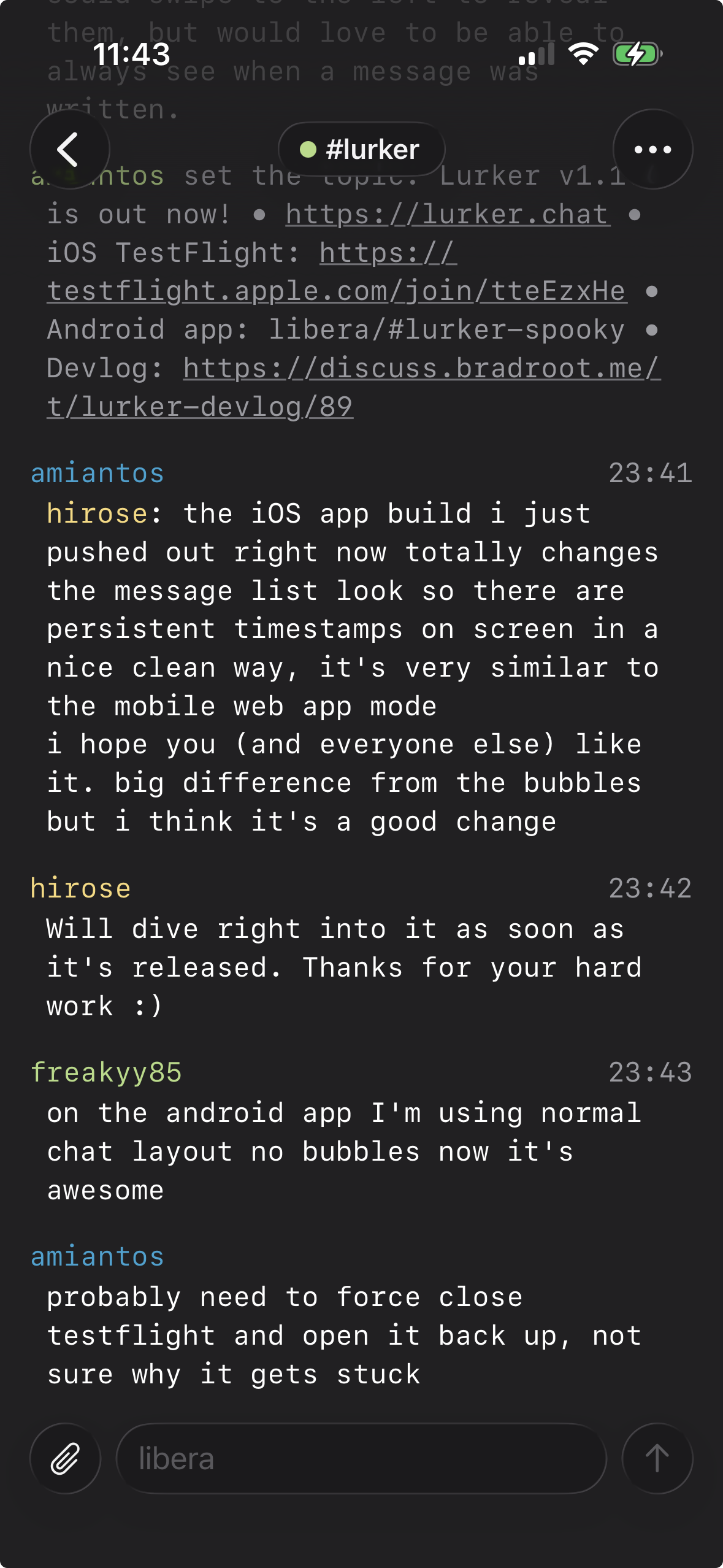
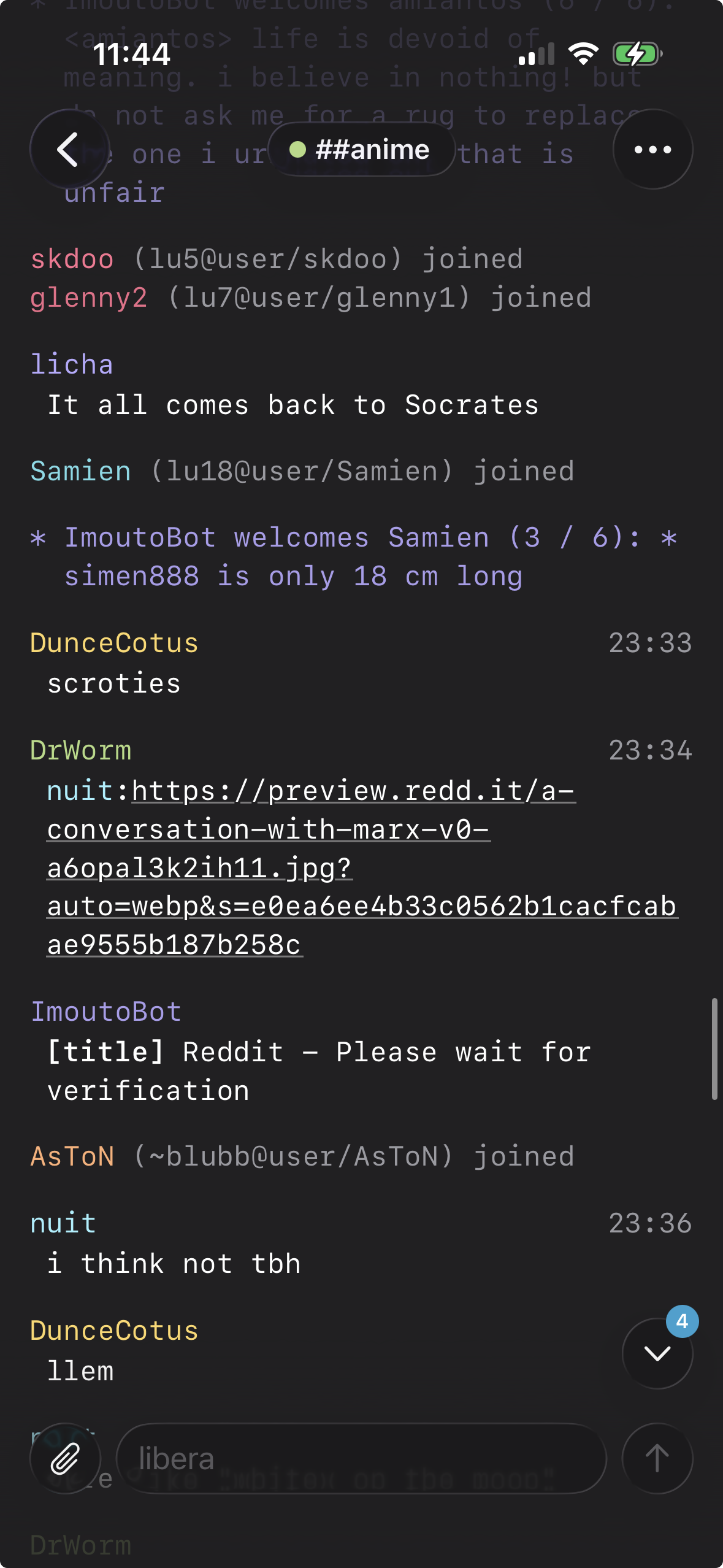
Yeah this looks dope as hell!
Whoops, I never posted about build 7, so we’re catching up with build 8!
- In build 7 the only real change was that bubbles were fully stripped from the app, including in the highlights menu.
- Added new option “Stay put when you send” which maintains your scroll position when you tap the keyboard and/or send a message. This is also in the Lurker PWA now as well, and the setting syncs between both types of clients.
- Moved the “jump to unread” button to the top center of the message list, as its prior position got in the way of message content.
- Improvements to buffer loading to hopefully make it feel nicer in general.
- Add support for full event filtering, look for “Event filter” in the settings screen. This setting can be set independently for your desktop and mobile Lurker clients, so you can turn events off entirely on mobile but keep them on for your desktop client.
- Added full support for bookmarks / saved messages. From the iOS app you can now save messages and view your bookmarks, and jump to any saved message from any point in history, just like on the web. (No filtering yet.)
Note you need Lurker v1.1.5 to be able to fully use this new iOS app release.
If you don’t know where to get it, just scroll up a bit from here, you’ll see the link.
Okay, same as main Lurker, I won’t be updating this devlog anymore, but you can find release notes for new versions over on GitHub instead.